Setting Up Weather Alerts on Your Phone for RV Living
May 29, 2026 · By Magnolia RV Park
When you live in an RV, the weather matters more than it does in a house. Strong winds, heavy rain, lightning, flooding, extreme heat, and hard freezes can all affect your home, your safety, and your plans. In Southeast Texas, weather can change quickly, especially during spring storm season and hurricane season.
Your phone can be one of your most powerful safety tools if it is set up correctly. This guide explains how to set up weather alerts on your phone for RV living, which alerts matter most, and what backups to have when phone service fails. For a full-year view of the local climate, see our pillar, Texas Weather and Your RV: A Year-Round Guide for Montgomery County.
Why Weather Alerts Matter for RV Residents
RVs are more vulnerable to severe weather than permanent buildings. High winds can rock an RV, falling branches can cause damage, and flash flooding can make roads impassable. Extreme heat can overwhelm an air conditioner, and hard freezes can damage plumbing.
Timely alerts give you time to act: secure loose items, bring pets inside, move to a safer location, protect your plumbing, or evacuate if necessary. A few minutes of warning can make a big difference.
Turn On Wireless Emergency Alerts
Most modern smartphones can receive Wireless Emergency Alerts, which are government-issued alerts sent to phones in affected areas. These can include severe weather warnings, such as tornado and flash flood warnings, and other emergency messages.
Check your phone’s settings to make sure emergency alerts are turned on. On many phones, you will find these settings under notifications or safety and emergency. Make sure alerts are allowed to sound even when your phone is on silent or do-not-disturb, if your phone offers that option.
Install a Reliable Weather App
A good weather app provides forecasts, radar, and customizable alerts. When choosing an app, look for:
- Alerts based on your current location or a saved location
- Official National Weather Service watches and warnings
- Radar with storm tracking
- Hourly and multi-day forecasts
- Notifications for lightning, heavy rain, heat, and freezes
Save your park’s location in the app so you receive alerts for home even when you are at work. Our park is at 32020 Old Hempstead Rd, Magnolia TX 77355, in Montgomery County.
Understand Watches vs. Warnings
Knowing the difference helps you respond appropriately:
- Watch: Conditions are favorable for a hazard to develop. Be prepared and stay informed.
- Warning: The hazard is happening or imminent. Take action now.
For example, a tornado watch means conditions could produce tornadoes, while a tornado warning means one has been detected or is imminent in your area.
Sign Up for Local Alerts
Many counties and cities offer emergency notification systems that send alerts by text, email, or phone. Check with Montgomery County’s emergency management office for local alert sign-up options. Local alerts may include information about road closures, shelters, and evacuations that national apps do not cover.
Key Alerts for Southeast Texas
Consider enabling alerts for:
- Severe thunderstorms, which can bring high winds, hail, and lightning
- Tornadoes
- Flash floods and flood warnings
- Tropical storms and hurricanes, during hurricane season from June 1 to November 30
- Excessive heat
- Freezes and winter storms
- Lightning nearby, if your app offers it
Our post on flash flooding around Houston explains why flood alerts are especially important.
Have Backups When Phones Fail
Phones can fail during storms. Batteries die, cell towers go down, and signal may be weak inside an RV. Have backups:
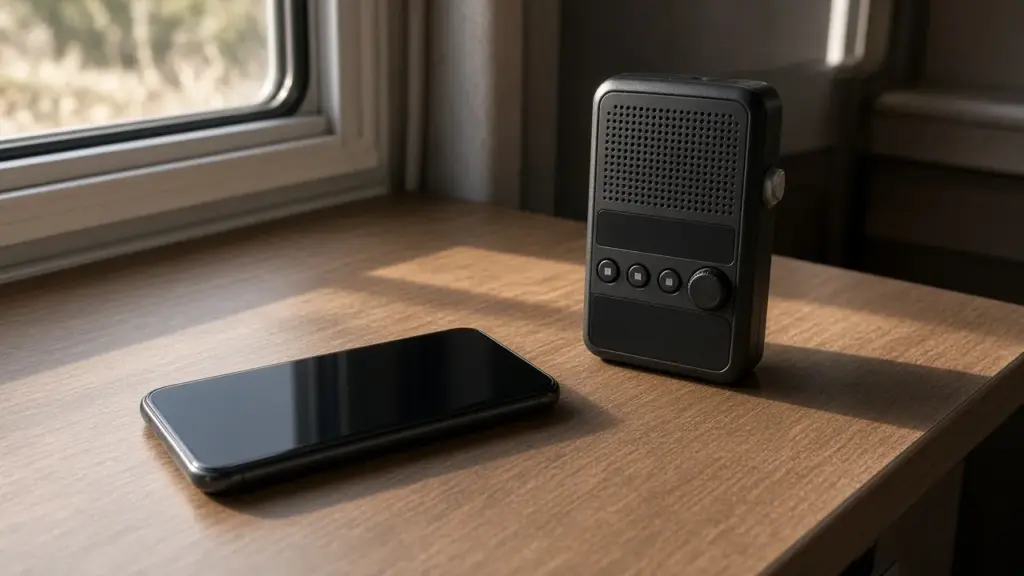
- NOAA Weather Radio. A battery-powered or hand-crank weather radio receives official alerts directly.
- Portable battery packs. Keep them charged so you can recharge your phone during outages.
- Local broadcast TV or radio. An antenna can pick up local news when internet is down.
- Neighbors. In a small park, residents often share information during storms.
Keep Your Phone Charged and Reachable
During severe weather, keep your phone charged and nearby, especially at night. Set it to allow emergency alerts to break through silent mode. If you work away from the RV, make sure you receive alerts for the park’s location as well as your work site.
Plan What You Will Do
Alerts are only useful if you know how to respond. Make a plan for common situations:
- Severe thunderstorm warning: Bring in any loose items, secure awnings, keep pets inside, and stay away from windows.
- Tornado warning: Seek sturdy shelter. An RV is not a safe place during a tornado. Know where you would go in advance.
- Flash flood warning: Avoid driving through flooded roads. Turn around, don’t drown.
- Excessive heat warning: Limit outdoor activity, stay hydrated, and make sure your AC is working. Our post on heat safety has more tips.
- Freeze warning: Protect exposed plumbing and hoses.
- Hurricane watch or warning: Follow official guidance, prepare to evacuate, and secure your RV.
Protect Your Motorhome or Tow Vehicle’s Readiness
If you might need to evacuate, your vehicles need to be ready. Keep fuel tanks reasonably full during storm season and make sure your motorhome or tow vehicle starts reliably. Our post on exercising a motorhome engine and generator covers keeping a parked rig ready to move.
Pests After Storms
Heavy rain can bring out fire ants and mosquitoes. After storms, watch for fire ant mounds around your site and eliminate standing water. Our posts on fire ant season and mosquitoes and bugs cover those issues.
Know Where You Would Go
The most important part of any weather plan is knowing where you would go if your RV is not safe. Before storm season, identify a sturdy building you could reach quickly during a tornado warning, such as a friend’s home, a workplace, or a public building. Learn the routes you would use to evacuate during a hurricane, and have a destination in mind well before a storm approaches. Share your plan with family or friends so they know where to find you.
Our park communicates with residents by text, so make sure management has your current phone number. If conditions affect the park, text is often the fastest way to share information.
Test Your Alerts Before You Need Them
Do not wait for a storm to find out whether your alerts work. After setting up your app and phone settings, check that notifications are enabled, location permissions are set correctly, and your phone does not silence alerts overnight. Many weather radios have a test button, and some apps allow you to preview notification sounds. A quick check at the start of each season gives you confidence that you will be warned when it matters.
Stay Calm and Informed
Frequent alerts can feel overwhelming, but most are simply reminders to stay aware. Read each alert carefully, check radar, and follow official guidance. Staying calm helps you make good decisions for yourself, your pets, and your neighbors.
Frequently Asked Questions
How do I get weather alerts on my phone?
Turn on Wireless Emergency Alerts in your phone settings, install a weather app with official alerts, and sign up for local county notifications.
What is the difference between a watch and a warning?
A watch means conditions are favorable for a hazard. A warning means the hazard is happening or imminent and you should act now.
Is an RV safe during a tornado?
No. Seek sturdy shelter during a tornado warning and know where you would go in advance.
What backup should I have if my phone fails?
A NOAA Weather Radio, charged battery packs, and local broadcast TV or radio.
When is hurricane season?
June 1 to November 30.
Stay Prepared at Magnolia’s Finest
Magnolia’s Finest RV Park offers mostly covered sites on cement pads in a small, gated community. Read our FAQ, see our amenities, or check availability.
Check Availability or call or text (281) 205-1959
Magnolia’s Finest RV Park · 32020 Old Hempstead Rd, Magnolia, TX 77355 · Contact us