Setting Up a Real Desk in an RV
March 2, 2026 · By Magnolia RV Park
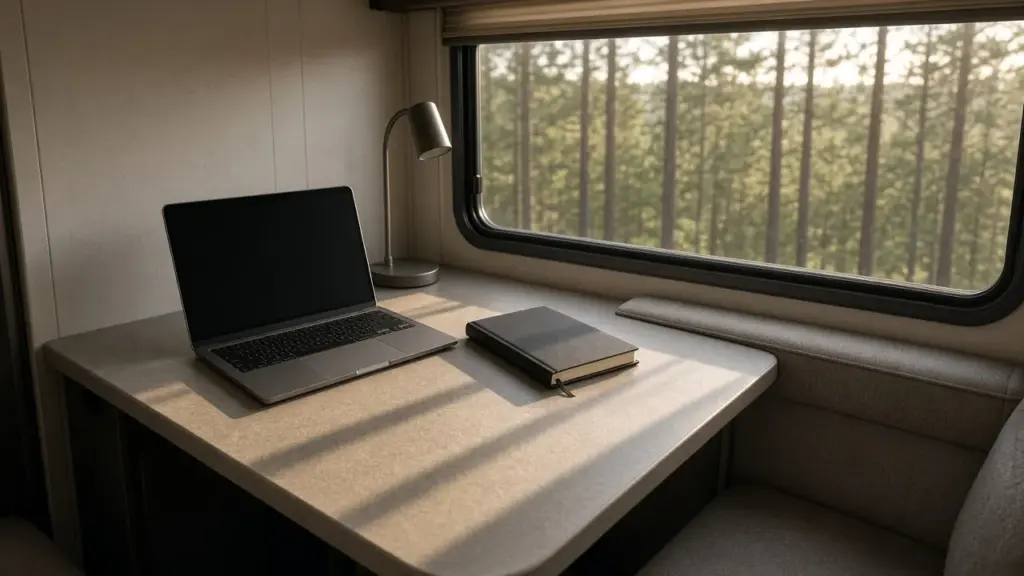
Many RV residents need a place to work. Remote employees, project managers, contractors handling estimates and invoices, and students all need a spot for a laptop, paperwork, and video calls. The dinette table works in a pinch, but after a few weeks of hunching over it, many people realize they need a real desk. With some planning, even a small RV can have a comfortable, productive workspace.
This guide explains how to set up a real desk in an RV. For a broader look at working residents, see our pillar on RV living for workers and contractors north of Houston.
Choose Your Spot
Look at your RV layout and consider:
- The dinette, converted into a permanent workspace
- A removed recliner or sofa, replaced with a desk
- A bedroom corner or wall area
- A bunk room, converted to an office
- A fold-down wall desk for small rigs
The best spot has good light, access to power, and some separation from the kitchen and living area.
Replacing Furniture With a Desk
Many residents remove a recliner or sofa to make room for a desk. Before removing built-in furniture, check how it is secured and whether wiring or heating ducts run underneath. Keep the removed furniture inside or sell it, since furniture cannot be left on your site at Magnolia’s Finest. Our post on keeping your RV site tidy explains what is allowed outside.
Choose the Right Desk
For RVs, look for desks that are:
- Compact and sized to your space
- Lightweight but sturdy
- Secured to walls or floors so they do not shift if you move the RV
- Adjustable in height if possible
Wall-mounted fold-down desks save space. Small standing desk converters let you alternate between sitting and standing.
Ergonomics
Poor posture leads to back, neck, and wrist pain. Set up for comfort:
- Screen at or slightly below eye level
- Elbows at about 90 degrees
- Feet flat on the floor or a footrest
- A supportive chair
A laptop stand with an external keyboard and mouse makes a big difference. Choose a compact chair that fits your space and stores easily.
Power and Cords
Workspaces need power for laptops, monitors, and chargers. Tips:
- Use a surge protector power strip
- Route cords neatly along walls
- Avoid overloading circuits
- Keep cords away from walkways
Never run cords from other sites or tamper with hookups; both are prohibited at our park. Manage your electrical load, especially when running AC.
Internet
Internet options vary by site and should be confirmed directly with the park. Many residents use cellular hotspots or other services. Test your connection before important calls.
Lighting
Good lighting reduces eye strain. Use:
- Natural light from windows during the day
- A desk lamp with adjustable brightness
- Soft background light for video calls
Approved shades help control glare. Foil on windows is not allowed at our park.
Noise and Privacy
RVs are small, and noise travels. For calls:
- Use a headset with a microphone
- Set up away from the kitchen and bathroom
- Coordinate call times with anyone sharing the RV
Our post on long-term RV living as a couple covers sharing space when both partners work.
Climate Comfort
RVs heat up quickly in Texas summers. A desk near a sunny window can become uncomfortable. Position your desk away from direct afternoon sun, use approved shades, and run AC. Covered sites help; 8 of our 10 sites are covered.
Storage for Work Supplies
Keep work supplies organized:
- A small filing box or digital files
- Drawer organizers
- Wall pockets or pegboards
- A charging station
Going paperless reduces clutter. Our post on going paperless in an RV explains how.
Keeping Work and Home Separate
When your office is steps from your bed, boundaries matter. Set work hours, put work away at the end of the day, and take breaks outside. A walk around the park can help you reset.
Contractors and Field Workers
If you work in the field, your desk might be where you handle invoices, estimates, and scheduling. Keep tools in your truck and paperwork at your desk. Our posts on keeping work trucks and tools within RV park rules and two vehicles at one RV site cover vehicle rules.
Relocating for Work
If you are relocating, a desk setup helps you work while house hunting. Our post on corporate relocation: using an RV while house hunting discusses this situation.
Seasonal Adjustments
Workspaces feel different through the year. In summer, keep the desk out of direct sun; in winter, watch for drafts and condensation near windows.
Quiet Hours
If you work late or early, be mindful of noise. Quiet hours at our park run from 8 pm to 8 am. Keep call volume low and use headphones.
Protecting Your Equipment
Heat, humidity, and power fluctuations can damage electronics. Keep equipment out of direct sun, use a surge protector, and consider a small uninterruptible power supply for critical work so a brief outage does not interrupt a call or corrupt a file. Back up your work regularly to cloud storage. When you leave the RV, close shades and make sure the AC is set to protect both your equipment and any pets inside. Humidity control also protects electronics, so run a dehumidifier during damp months.
Making the Space Feel Good
A workspace you enjoy is one you will use. Add a small plant, a favorite photo, or good headphones. Keep the desk clear of clutter at the end of each day. Small touches can make a compact office feel inviting.
Video Call Setup
Video calls are part of many jobs, and a little setup makes you look and sound professional. Position your camera at eye level using a laptop stand or a stack of books. Face a window or use a soft light in front of you rather than behind you. Choose a plain background or a tidy wall. Test your microphone and headset before important meetings. Close windows and turn off fans that create background noise. If neighbors are active outside, a headset with a noise-canceling microphone keeps calls clear. Keep a short checklist near your desk so you can prepare for calls in a minute or two.
Taking Breaks
Sitting in a small space all day is hard on your body. Stand up every hour, stretch, and step outside for fresh air. Short walks around the park help you reset.
Budget-Friendly Upgrades
You do not need to spend a lot. A laptop stand, external keyboard, and good chair make the biggest difference for the least money.
Frequently Asked Questions
Can I remove RV furniture to add a desk and leave the old furniture outside?
No. Furniture is not allowed on sites at Magnolia’s Finest. Store it inside or sell it.
Is internet available at the park?
Internet options should be confirmed directly with the park. Many residents use cellular hotspots.
How can I take calls without disturbing others?
Use a headset, set up away from shared areas, and coordinate call times.
Can I run an extension cord from a neighbor’s site?
No. Running cords from other sites is not allowed.
Work Comfortably in Magnolia
Magnolia’s Finest RV Park is a small, gated long-term community. Check availability or learn more about long-term RV living in Magnolia.
Check Availability or call or text (281) 205-1959
Magnolia’s Finest RV Park · 32020 Old Hempstead Rd, Magnolia, TX 77355 · Contact us