
Printing, Scanning, and Paperwork When You Work From an RV
March 16, 2026 · By Magnolia RV Park
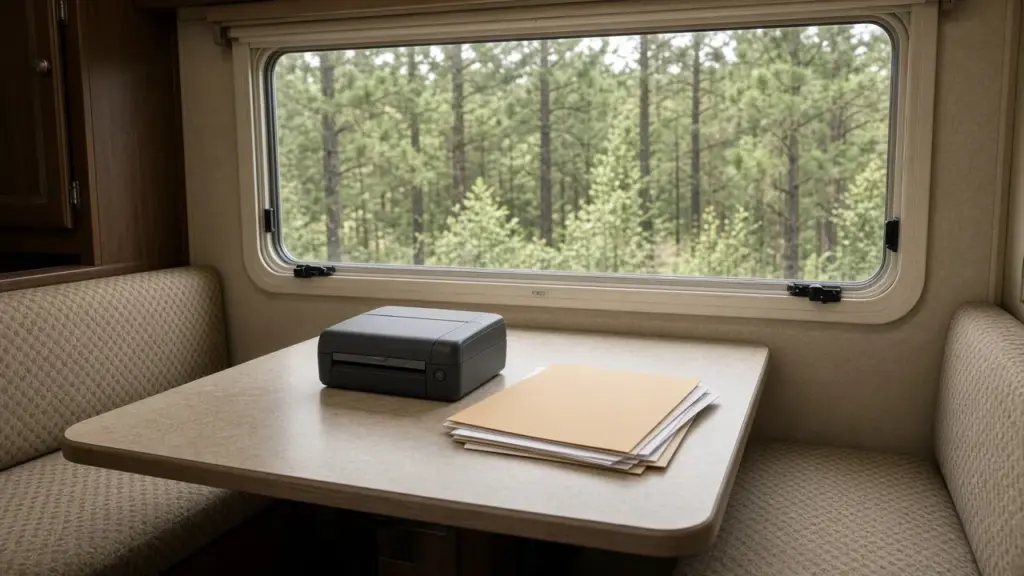
Even in a digital world, work still involves paperwork. Contractors print estimates and invoices, travel nurses handle credentialing documents, remote workers sign contracts, and project managers need drawings or reports. When your office is an RV, you need a system for printing, scanning, and storing paperwork without filling your small space with equipment and paper piles.
This guide explains how to handle printing, scanning, and paperwork when you work from an RV. For a broader look at working residents, see our pillar on RV living for workers and contractors north of Houston.
Start With a Digital-First Approach
The less paper you handle, the easier RV work life becomes. Before buying equipment, consider:
- Electronic signatures for contracts and forms
- PDF editing tools for filling out documents
- Cloud storage for sharing and storing files
- Email or messaging for sending documents
Many employers and clients accept digital documents. Ask before printing.
Scanning With Your Phone
Phone scanning apps turn photos into clean PDFs. They work well for:
- Receipts and expense reports
- Signed documents
- Credentials and certificates
- Notes and sketches
Good lighting and a flat, contrasting surface improve scan quality.
Compact Printers
If you need to print regularly, a compact printer is worth considering. Look for:
- Small size that fits in a cabinet
- Wireless printing from phones and laptops
- Low power use
- Built-in scanning if you need higher-quality scans
Secure the printer when not in use so it does not shift. Store paper in a sealed bin to protect it from humidity.
Portable Scanners
For frequent, high-quality scanning, a portable document scanner is compact and fast. Some are small enough to fit in a drawer.
Printing Off Site
If you rarely print, use off-site options:
- Office supply and shipping stores
- Libraries
- Your employer’s office
Many residents print occasionally in town while running errands.
Power Considerations
Printers can draw a surge of power when warming up. Plug equipment into a surge protector and avoid running printers at the same time as high-draw appliances like microwaves or AC startup. Never run cords from other sites or tamper with hookups; both are prohibited at our park.
Desk Setup
A good workspace makes paperwork easier. Our post on setting up a real desk in an RV explains how to create a comfortable, organized workspace.
Organizing Work Paperwork
For paper you must keep:
- A small accordion file or filing box
- Folders labeled by client or project
- A tray for incoming papers to scan or file
Scan documents and shred originals you do not need. Keep essential originals in a fire-resistant, waterproof box.
Humidity and Paper
Southeast Texas humidity can make paper wavy and printers jam. Store paper in sealed bins with moisture absorbers. Run your AC or a dehumidifier to control indoor humidity.
Travel Nurses and Medical Staff
Medical professionals often manage licenses, certifications, and credentialing paperwork. Keep digital copies organized and backed up. Our post on travel nurses and medical staff RV living north of Houston discusses their needs.
Contractors and Field Work
Contractors may need to print estimates, invoices, or permits. Many use tablets and invoicing apps to reduce paper. Keep work documents in your truck or desk, not scattered around the site. Our post on two vehicles at one RV site covers vehicle rules for working residents.
Mailing Documents
Sometimes you need to mail original documents. Ask the park how mail and packages are handled. Use tracking for important documents.
Security and Privacy
Work documents may include sensitive information. Shred documents with personal or client information. Protect digital files with strong passwords and two-factor authentication.
Keeping Supplies Minimal
Keep only the supplies you need: a ream of paper, spare ink or toner, pens, folders, and a stapler. Store supplies in one bin.
Plumbing and Paper
Never flush paper towels or tissues other than septic-safe toilet paper. Our park is on a septic system. Our post on gray tank management when you’re connected full-time covers related habits.
Quiet Hours and Printing
Printers can be noisy. If you print late at night or early in the morning, be mindful of quiet hours from 8 pm to 8 am. Print during the day when possible.
Handling Tax Records
Self-employed residents and contractors need to keep records for taxes. Organize receipts, invoices, and mileage logs digitally throughout the year so tax season is not a scramble. Many residents set aside time monthly to scan receipts and categorize expenses. Keep digital records for the length of time recommended by a tax professional, and back them up in more than one place. A well-organized system saves hours of stress in the spring and makes it easier to work with an accountant.
Signing Documents on the Go
Electronic signature tools let you sign contracts, leases, and work forms from your phone or laptop. Save signed copies in your cloud storage immediately so they are not lost in email. If an original ink signature is required, print only that document, sign it, scan a copy for your records, and mail the original with tracking.
Building a Simple Workflow
A consistent workflow keeps paperwork from piling up. When a document arrives, decide right away whether it needs action, filing, or shredding. Scan anything you need to keep and save it into a clearly named folder, such as the client or project name followed by the date. Put items that need action into a single tray and clear that tray at a set time each week. At the end of each month, back up your work folders and shred any originals you no longer need. This routine takes only a few minutes at a time but saves hours of searching for lost documents later.
Choosing Software Tools
A few inexpensive or free tools can replace most office equipment. Look for a scanning app that saves searchable PDFs, a PDF editor that lets you fill and sign forms, an invoicing or estimating app if you run a business, and a cloud storage service with automatic phone backup. Choose tools that work across your phone and laptop so you can handle paperwork wherever you are, whether at your desk, in your truck, or at a job site.
Planning for Connectivity
Many digital paperwork tasks depend on an internet connection. Internet options should be confirmed directly with the park, and many residents use a cellular hotspot. Download important documents ahead of time so you can work on them offline if your connection drops.
Frequently Asked Questions
Do I need a printer in my RV?
Not always. Many residents rely on digital signatures and phone scanning, printing off site when needed.
How do I protect paper from humidity in an RV?
Store paper in sealed bins with moisture absorbers and control indoor humidity with AC or a dehumidifier.
Can I run a printer off a neighbor’s power?
No. Running cords from other sites is not allowed.
Where can I print documents near Magnolia?
Office supply stores, shipping stores, and libraries in the area offer printing services.
Work Comfortably in Magnolia
Magnolia’s Finest RV Park is a small, gated long-term community. Learn about long-term RV living in Magnolia or check availability.
Check Availability or call or text (281) 205-1959
Magnolia’s Finest RV Park · 32020 Old Hempstead Rd, Magnolia, TX 77355 · Contact us