
Cellular Hotspots, Satellite, and Park Wi-Fi: RV Internet Compared
April 3, 2026 · By Magnolia RV Park
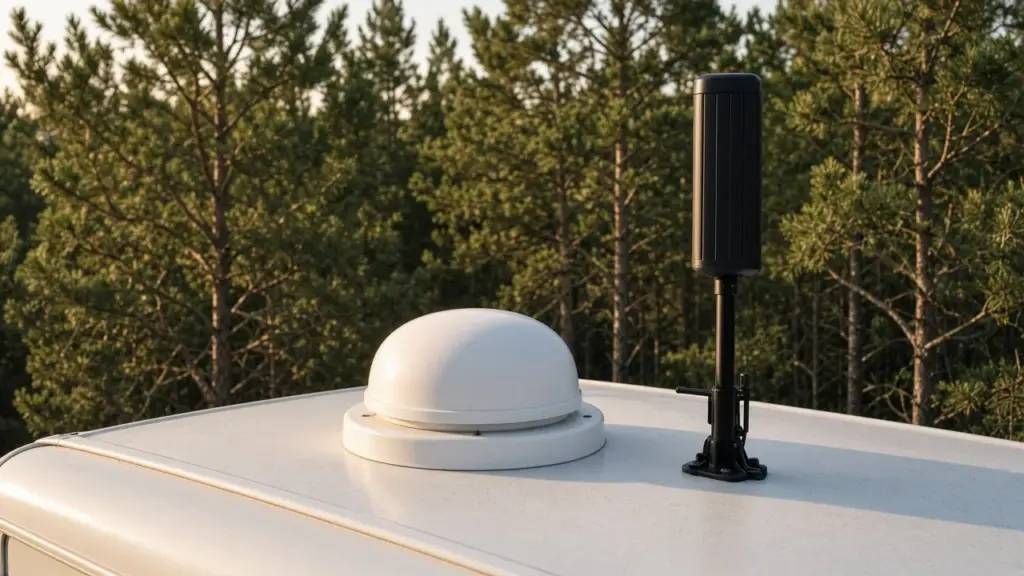
For many RV residents, internet is as essential as water and power. Remote workers need reliable video calls, students need online classes, and everyone wants to stream, video chat with family, and manage finances online. RV internet options have expanded a lot, but each has strengths and tradeoffs. Choosing the right setup depends on your needs, budget, and location.
This guide compares cellular hotspots, satellite internet, and park Wi-Fi for long-term RV living. For the bigger picture on hookups, see our pillar on RV hookups explained for long stays.
Start With Your Needs
Before choosing, think about how you use the internet:
- Do you work remotely with frequent video calls?
- Do you stream video daily?
- How many devices connect at once?
- Do you upload large files?
- How important is reliability during storms?
Heavy users need more reliable, higher-capacity setups than light users.
Confirm What the Park Offers
Internet availability varies by park and by site. At Magnolia’s Finest, internet options should be confirmed directly with the park, since we do not want to overstate what any particular site offers. Call or text us at (281) 205-1959 to ask.
Cellular Hotspots
Cellular hotspots use mobile networks to provide internet. Options include:
- Using your phone as a hotspot
- A dedicated mobile hotspot device
- A cellular router with an external antenna
Pros:
- Portable and easy to set up
- Works in many locations
- Plans available from multiple carriers
Cons:
- Speeds vary with signal strength and network congestion
- Some plans have data limits or slow down after heavy use
- Signal can be weaker in rural or wooded areas
Checking coverage maps and testing signal at your site helps. A signal booster or external antenna can improve performance in fringe areas.
Satellite Internet
Modern satellite internet services have become popular with RVers. They use a dish to connect to satellites.
Pros:
- Works in many rural areas where cellular is weak
- Can deliver good speeds
Cons:
- Requires a clear view of the sky; trees and covered sites can block signal
- Equipment cost and monthly fees
- Power consumption of the dish and router
- Heavy rain can affect performance
If your site is covered, you may need to position the dish carefully, and park rules may affect placement. Ask management before mounting equipment. Items on or under the site are generally not allowed at our park, so discuss any equipment needs in advance.
Park Wi-Fi
Some parks offer Wi-Fi. Quality varies widely depending on the park’s equipment and the number of users.
Pros:
- Often included or low cost
- No equipment to buy
Cons:
- Speeds may slow when many residents are online
- Security can be a concern on shared networks
- Signal may be weak at some sites
If you use shared Wi-Fi, use a VPN for sensitive tasks and avoid accessing financial accounts without security measures.
Combining Options
Many remote workers use more than one option for reliability. For example, a cellular hotspot plus a backup from a different carrier, or satellite plus cellular. Redundancy helps during outages or congestion.
Power Use
Internet equipment draws power continuously. Routers, boosters, and satellite dishes add to your electrical load. Our post on managing electrical load in an RV explains how to balance devices with AC and other appliances. Never run cords from other sites; that is not allowed at our park.
Storms and Outages
During storms, cellular networks and satellite service can be affected. Keep devices charged and have a backup plan for important work. Our posts on storm preparation explain how to stay connected during severe weather.
Testing Before You Commit
Before signing a long-term contract, test your options at your site. Run speed tests at different times of day. Try a video call. Many carriers offer trial periods.
Setting Up a Workspace
Good internet works best with a good workspace. Our post on setting up a real desk in an RV covers ergonomics, lighting, and noise.
Costs
Compare monthly costs, equipment costs, and data limits. Include internet in your monthly budget along with rent and utilities.
Security
Protect your network with strong passwords. Update router firmware. Use two-factor authentication on important accounts.
Household Habits Matter Too
Internet is a utility like any other in an RV, and good habits keep it running smoothly. Just as residents follow septic-safe practices with toilet paper and cleaning products, as covered in our post on septic-safe toilet paper and cleaning products for RVs, they can manage data use wisely. Schedule large downloads and updates overnight, lower streaming quality when bandwidth is limited, and pause cloud backups during important video calls.
Placement and Signal
Where you place equipment inside your RV affects performance. Cellular routers and hotspots usually work best near a window facing the nearest tower. Metal walls and appliances can block signal. Experiment with different positions and use a signal app to measure strength. Some residents mount a small external antenna on a pole attached to their RV, but check with management before installing anything outside.
Planning for Growth
Your internet needs may grow over time as you add devices, start working remotely, or stream more. Choose a plan and equipment that can scale, and review your usage every few months.
Protecting Equipment in Your RV
Internet equipment is sensitive to heat, humidity, and pests. Keep routers and hotspots out of direct sun and away from heat sources. Humidity can corrode connectors over time, so running your AC or a dehumidifier helps. Insects are attracted to warm electronics, and ants in particular sometimes nest in routers and power strips; our post on ant and roach prevention inside an RV covers how to keep them out. Use a surge protector for all equipment to guard against power fluctuations.
Internet as Part of Your Utility Routine
Treat internet like your other utilities. Just as you check your sewer hose and tank levels on a schedule, as described in our post on gray tank management when you’re connected full-time, check your internet equipment regularly. Restart routers periodically, check for firmware updates, review data usage mid-month, and keep cables tidy and protected. Small routines prevent frustrating outages during important calls.
Working With a Partner or Family
If more than one person in your RV relies on the internet, plan for shared bandwidth. Coordinate video calls, schedule streaming for off-hours, and consider a plan with higher data limits. A mesh or dual-band router can help distribute signal inside the RV.
Frequently Asked Questions
Does Magnolia’s Finest offer internet?
Internet options should be confirmed directly with the park. Call or text us at (281) 205-1959.
Will satellite internet work on a covered site?
Covers and trees can block satellite signal. Positioning matters, and you should check with management before mounting equipment.
Is a cellular hotspot good enough for remote work?
It can be, depending on signal strength and your plan. Test at your site before committing.
Can I run an extension cord to power equipment from another site?
No. Running cords from other sites is not allowed.
Stay Connected in Magnolia
Magnolia’s Finest RV Park is a small, gated long-term community. Explore our amenities, read the FAQ, or check availability.
Check Availability or call or text (281) 205-1959
Magnolia’s Finest RV Park · 32020 Old Hempstead Rd, Magnolia, TX 77355 · Contact us