
Going Paperless in an RV
February 20, 2026 · By Magnolia RV Park
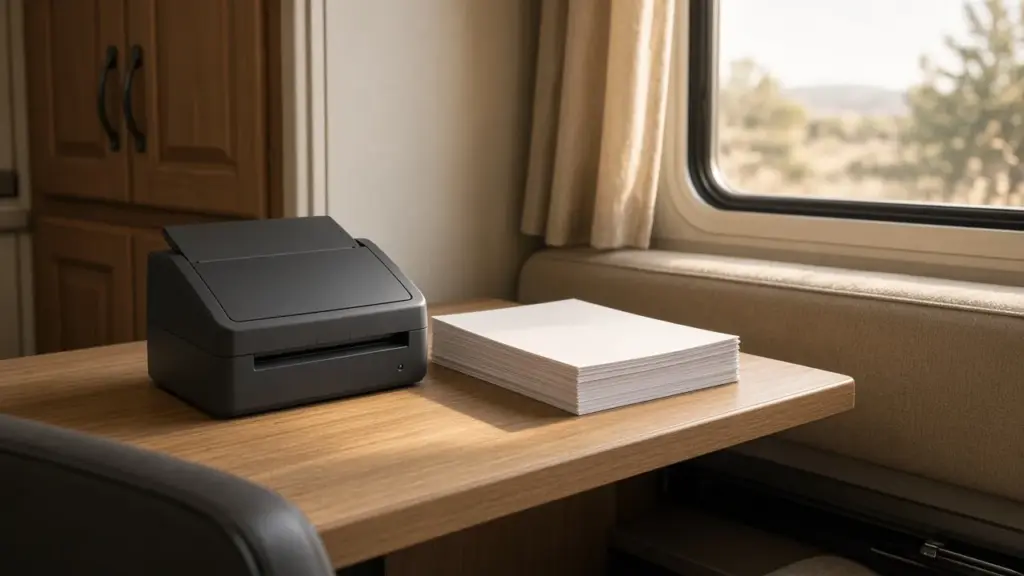
Paper takes up space, and space is the one thing an RV never has enough of. Bills, receipts, manuals, statements, and records pile up quickly in a small home. Going paperless frees up cabinets, reduces clutter, and makes it easier to find what you need from anywhere. It also protects important information from humidity, spills, and storms that can ruin paper records.
This guide explains how to go paperless while living in an RV, which originals to keep, and how to keep digital files secure. For a broader look at managing money, space, and paperwork, see our pillar on full-time RV life on a budget.
Why Go Paperless in an RV
Going paperless offers several benefits for RV residents:
- More space in cabinets and drawers
- Less clutter and easier cleaning
- Access anywhere from your phone or laptop
- Protection from moisture, mold, and storm damage
- Faster organization with searchable files
In the humid Southeast Texas climate, paper can absorb moisture and grow mildew. Digital records avoid that problem.
Start With a Plan
Going paperless is easier in stages. Start by deciding:
- What documents you currently keep
- What can be scanned and shredded
- What originals must be kept
- Where digital files will be stored
Tackle one category at a time, such as bills, then medical records, then manuals.
Documents to Keep as Originals
Some documents should be kept as originals, even if you also have digital copies:
- Birth certificates and Social Security cards
- Passports
- Vehicle and RV titles
- Marriage and divorce records
- Wills, powers of attorney, and estate documents
- Certain legal and property documents
Store originals in a fire-resistant, waterproof document box inside your RV or in a safe deposit box. Our post on storing belongings off-site while living in an RV discusses where to keep important items.
Documents to Scan
Most everyday paperwork can be scanned and then shredded:
- Bills and statements
- Receipts
- Medical records
- Insurance policies
- Owner’s manuals
- Warranties
- Tax documents (keep digital copies for the required years)
Many manuals are available online from manufacturers, so you may not need to scan them at all.
Choose a Scanning Method
Options include:
- Phone scanning apps that create PDFs from photos
- Compact portable scanners that fit in a drawer
- Scanning services for large batches
For RV living, a phone app handles most needs. A portable scanner helps if you have many documents.
Organize Digital Files
Create a simple folder structure:
- Finances
- Insurance
- Medical
- Vehicles and RV
- Housing and park
- Taxes
- Personal documents
Use clear file names with dates, such as “2026-10 RV insurance policy.” Consistent naming makes searching easy.
Store Files Securely
Choose secure storage:
- Cloud storage with strong passwords and two-factor authentication
- An encrypted external drive as a backup
- A second cloud or offline backup for critical documents
Never rely on a single copy. If your phone or laptop is lost or damaged, backups protect your records.
Switch Bills to Online
Contact banks, credit cards, utilities, and insurers to switch to paperless statements. Set up online accounts and automatic payments where it makes sense. Our post on banking and digital payments covers secure payment habits.
At Magnolia’s Finest, Zelle is preferred for rent, which creates a digital record automatically. Cash, check, money order, and card are also accepted; if you pay in cash, photograph your receipt.
Insurance Documents
Keep digital copies of RV and vehicle insurance policies and ID cards. At our park, RV insurance must include liability and property coverage at state minimums. Our post on RV insurance for full-time residents covers what to ask your agent.
Park Paperwork
Keep digital copies of your park agreement, rules, and any correspondence. If questions come up about rent, deposits, or policies, having records helps. Our post on why RV parks don’t allow subletting is an example of a policy worth understanding and keeping on file.
Mail and Paper That Still Arrives
Some paper will still arrive by mail. Handle it right away: scan what matters, file originals that must be kept, and shred the rest. Avoid letting a mail pile form.
Shred Safely
Shred documents with personal information before discarding. A small shredder can fit in an RV cabinet, or use community shredding events.
Downsizing Paper Before the Move
If you are moving into an RV, start going paperless before moving day. It is one of the easiest ways to reduce what you bring. Our post on selling furniture and belongings before RV life covers broader downsizing.
Protect Against Scams
Going paperless means more email and online accounts. Watch for phishing messages. Confirm requests for payment or personal information directly with the company or person, especially for rent. At our park, you can confirm details at (281) 205-1959; text is preferred.
Storm Preparedness
Hurricane season runs from June 1 through November 30. Digital records mean that even if you evacuate or your RV is damaged, you can access insurance, medical, and identity documents. Keep your document box ready to grab if you need to leave quickly.
Maintaining the System
Set a monthly time to scan new documents, file downloads, and back up files. A few minutes each month keeps the system from falling behind.
Paperless Records for RV Maintenance
Maintenance records are easy to lose on paper. Keep a digital log of oil changes, roof inspections, seal work, appliance service, and parts purchased. Photograph receipts and serial numbers for appliances. When something needs repair, you can quickly show a technician the history. Digital maintenance records also add value if you ever sell your RV, since buyers appreciate documented care. A simple spreadsheet or notes app works well.
Sharing Access With a Partner or Family
If you share your life with a partner, make sure both of you can access important digital files. Consider giving a trusted family member emergency access to key documents. Password managers can store logins securely and share them when needed. Planning ahead ensures that important records are available if something unexpected happens.
Keeping Devices Safe in an RV
Going paperless means your phone, laptop, and backup drive hold your most important records. Protect them from heat, humidity, and power surges. Do not leave devices in a hot vehicle or in direct sun through a window. Use a surge protector for charging equipment. Keep devices updated with security patches and protected with passcodes. Store your backup drive in a different place than your laptop, so a single spill or theft does not take out both copies.
Frequently Asked Questions
What documents should I keep as originals in my RV?
Keep originals of birth certificates, Social Security cards, passports, titles, and legal documents in a fire-resistant, waterproof box.
What is the easiest way to scan documents in an RV?
Phone scanning apps handle most needs. A portable scanner helps for larger batches.
How can I pay rent paperlessly at Magnolia’s Finest?
Zelle is preferred and creates a digital record. Cash, check, money order, and card are also accepted.
How should I back up digital files?
Use secure cloud storage plus an encrypted external drive or second backup.
Simplify Life in Magnolia
Magnolia’s Finest RV Park is a small, gated long-term community. Review our sites and rates, learn about long-term RV living in Magnolia, or check availability.
Check Availability or call or text (281) 205-1959
Magnolia’s Finest RV Park · 32020 Old Hempstead Rd, Magnolia, TX 77355 · Contact us